Funds Check Setup
Funds Check Setup
The Funds Check has been designed for use when the contract is a novated lease.
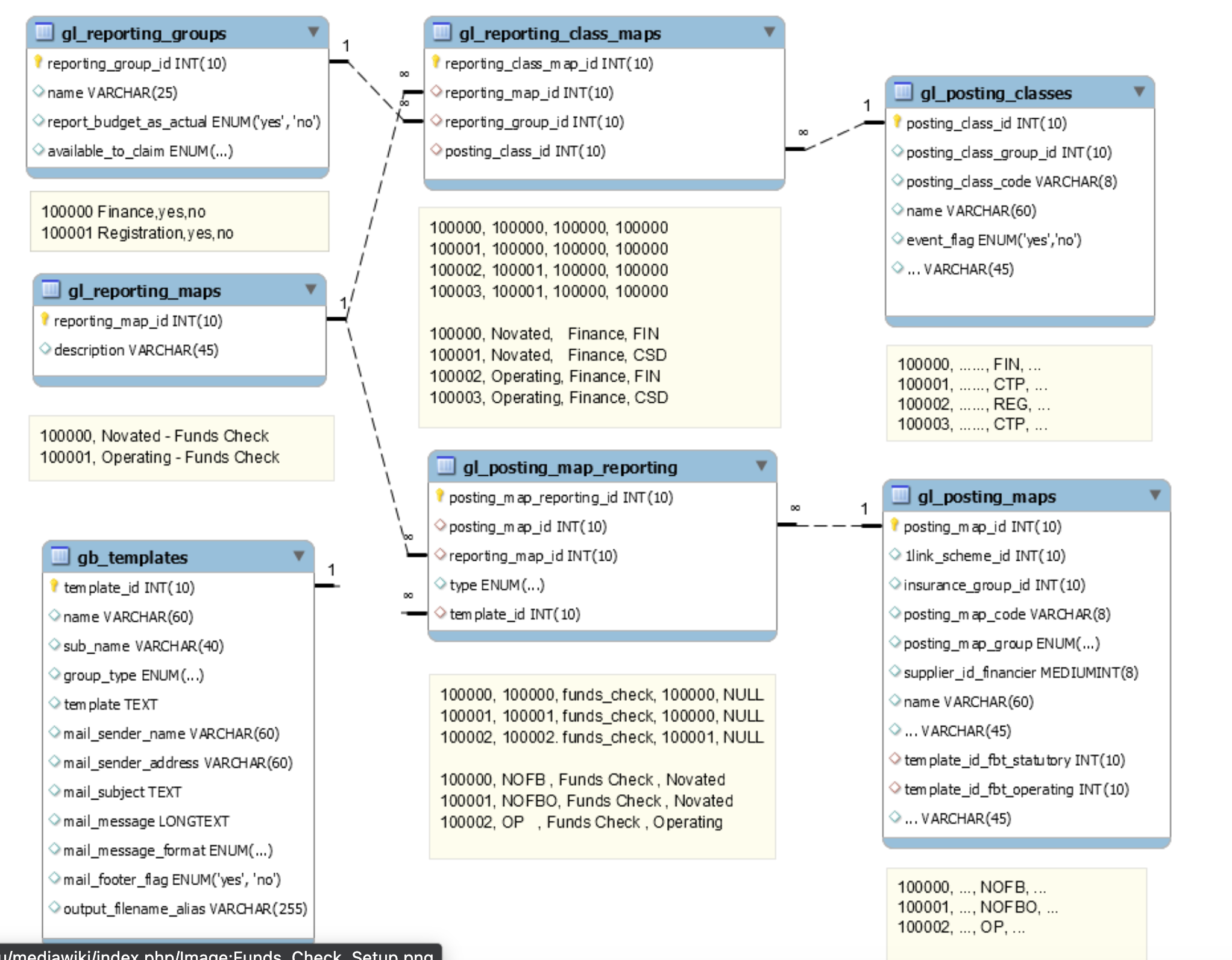
To use the Funds Check feature, you need a report map that links each Posting Class to a Category. Each Category also needs to be configured.
The report map is also required for the following features:
The Finalise button
The Transactions Report
The Driver Portal - Vehicle Balance with Transactions screen
Contact Support to arrange this.
Funds Check on Claims
If you want to check and prevent claims that fail the funds check validation from being posted, go to Contract Types / Details and check on "Funds Check on Claims". If this is checked, only an 'admin' role user can post a claim that fails the funds check. If "Funds Check on Claims" is unchecked, no alerts or restrictions will occur.
Check that the role restriction entries are correct for your organisation. An entry is required for each role that should be prevented from posting claims that fail the Funds Check.
Auto Post on Claims
If in use, when claims do not pass the funds check validation, they will be updated to 'Pending Funds' sub status.
A claim in this sub status can still be posted if the user's role has been configured to allow it.
These claims are then checked by a scheduler job (usually run once a day) and posted if they pass the funds check validations.
The claim will then be picked up in the next run of the Reimbursements (ABA) file.
Set-up Steps
Check on the Contract Types / Details "Funds Check on Claims" check box
Check on the Contract Types / Details "Auto Post on Claims" check box
Make sure the sub statuses records 'Pending Funds' and 'Posting Failed' are set-up in fm_approvals_sub_statuses
Set-up the scheduler job autoPostClaims so it is active and runs nightly
Job Outcomes
There are three things that could happen to a claim when this job runs:
The claim passes the funds check validation and is 'Posted'
The funds check validation fails and the claim remains at 'Active' status and 'Pending Funds' sub status. It will be checked again the next time the job runs
The claim fails a different check validation during the job run. The claim is updated to the 'Posting Failed' sub status. Investigate these claim records by going to the Contracts / Claim tab and running the check process for the failed claim. This should provide the validation failure message. An example of this happening is the claim failing a GST Checks
Report Map
The report map is also required for the following features:
The Finalise button
The Transactions Report
The Driver Portal - Vehicle Balance with Transactions screen
Contact your Account Manager or Support to arrange for one to be set-up.
Screen Adjustment of Funds Check Pop-up
You can change the screen dimensions of this pop-up using the gb_screen_resolutions table.
SELECT * FROM gb_screen_resolutions WHERE page = 'contracts' AND sub_page = 'funds_check' Was this helpful?
Still need help? Ask the team